
Streaming + Batch Intelligence
Get token-by-token responses, run batch jobs with per-item status, and work with files and persistent context.
 IuVe
Create account
IuVe
Create account
Intelligence. You. Evolve.
IuVe unifies streaming chat, IuVe Connect desktop agents, team billing, and the Marketplace for self-hosted Genesis CMS products — all under one account with IuVe Identity and explicit pairing.
After you install a Marketplace CMS, you pair your own domain through IuVe Identity. No demo domains — only your install.
Pairing status is always live Identity SSOT for your account — this section is a step guide only.
Workspace intelligence, Connect agents, Marketplace CMS, and governance in one platform.
Get token-by-token responses, run batch jobs with per-item status, and work with files and persistent context.
Use terminal/IDE/review flows, connect GitHub by explicit consent, inspect repos, and prepare changes with risk-first review.
Use prompt-injection guardrails, plan-aware throttling, API key controls, billing visibility, and team access boundaries.
Browse Genesis Travel CMS (v14.2.9), Genesis Recruit CMS AI Recruitment Intelligence Edition (v15.0.1), and Genesis SMM CMS AI Social Media Edition (v1.5.12). Purchase, download, and activate self-hosted licenses.
Separate kai_live_* AI keys (Settings → API Keys) from mp_live_* product licenses. Pair domains after install; Update Center delivers signed package upgrades.
Free, Pro, and Business plans for the IuVe workspace: Chat, Website widget, Marketplace, IuVe Connect, Iulia, team, API keys, and usage. Trader is included in Business.
Production-ready Genesis products with IuVe Identity, pairing, and signed updates — you host; we handle licenses and AI keys.

Developed by IuVe. Part of the Genesis CMS self-hosted product family. Genesis Travel CMS Production is a professional intelligent CMS for travel agencies, tour operators, tourism companies and independent travel projects. It includes a public travel website, administrative dashboard, tours and destinations catalog, partner management, lead CRM, brand center and an IuVeAI assistant for travel workflows. The CMS is deployed on the buyer's own PHP/MySQL server. The one-time product license costs €500. After successful payment, the buyer receives package download access, an mp_live_* purchase key, production-domain activation, entitlement validation and optional IuVeAI connectivity using a separate kai_live_* API key.
Developed by IuVe. Part of the Genesis CMS self-hosted product family. Self-hosted CMS for used-car marketplaces: catalog, mobile.de-style filters, sellers, buyer inquiries, journal, IuVe AI, Pairing and Update Center.
Genesis SMM CMS — AI Social Media Edition v1.5.12 — is a self-hosted CMS for SMM agencies, marketing teams and social-media managers: clients, projects, brand profiles, content with workflow and versioning, a content calendar, campaigns, approvals, publishing (Telegram), analytics, CRM/leads, automation and an IuVeAI assistant. Deployed on the buyer's own PHP/MySQL server. One-time license: €500. After payment: package download, an mp_live_* purchase key, production-domain activation, entitlement validation and optional IuVeAI via a separate kai_live_* API key.
AI-powered platform for discovering, qualifying and managing publicly available candidate profiles from multiple sources, with multilingual search, a communication workflow and enterprise administration. Self-hosted PHP/MySQL. One-time license: €1000.
Developed by IuVe. Part of the Genesis CMS self-hosted product family. Self-hosted CMS for automotive workshops: requests, appointments, clients, vehicles, service catalog, content, brand, Marketplace Pairing, Update Center and IuVe AI.
Developed by IuVe. Part of the Genesis CMS self-hosted product family. Self-hosted Enterprise CMS for construction companies: objects, projects, estimates, requests, CRM, portfolio, AI Construction Center, Marketplace Pairing and IuVeAI.
One account — cloud workspace, Connect bridge, desktop Avatar, and Marketplace self-hosted apps.
Streaming chat, batch jobs, and workspace governance in the cloud.
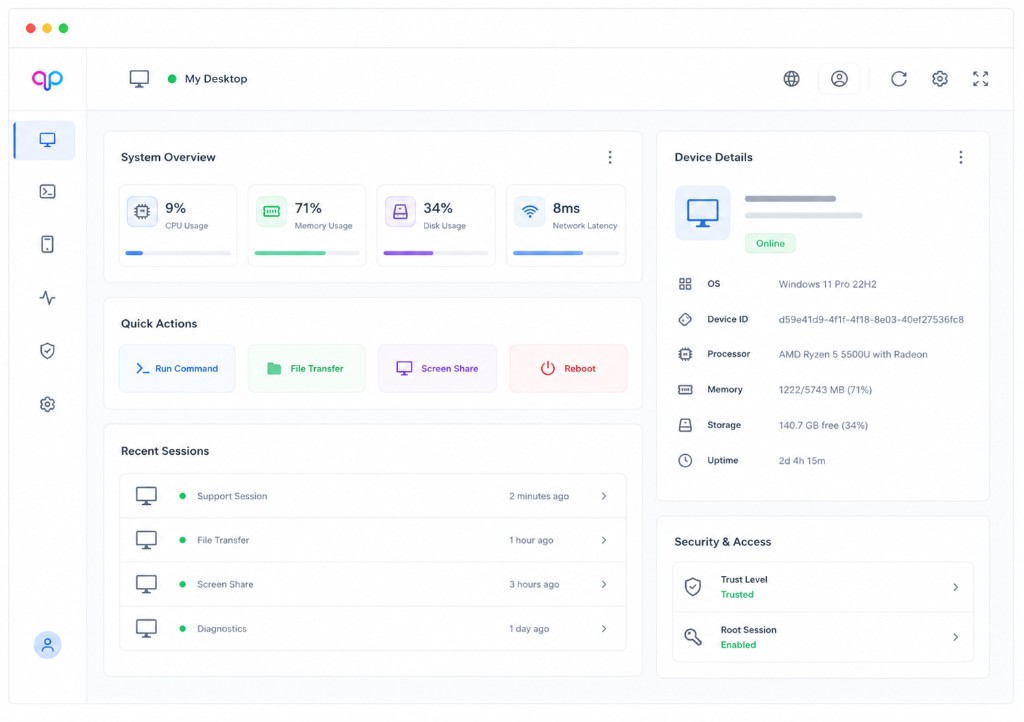
Pair devices, manage grants, and monitor operational console activity.
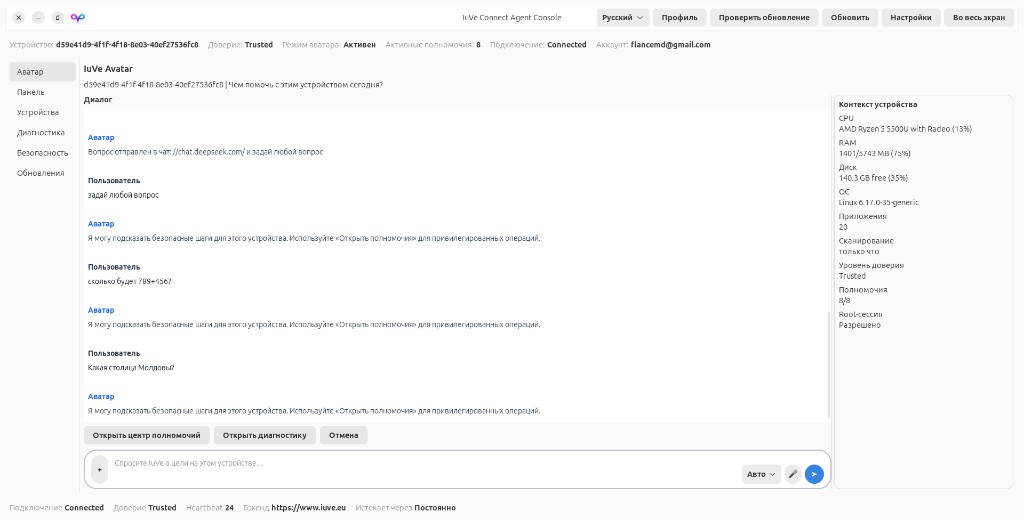
Run Avatar on your desktop with local authority and SaaS entitlements.
Workspace, Connect, Marketplace, Orchestra, billing, and device pairing — one platform.
Natural language to plan, policy, execute, and verify on your device.
Device bridge, pairing, and Agent Console — full local access after install consent.
Desktop console: chat, diagnostics, and SaaS entitlements (GTK on Linux).
Model routing by role and intent; cloud-assisted, local authority.
Free, Pro, and Business plans for Chat, Website widget, Marketplace, IuVe Connect, Iulia, and team billing. Trader is Business only.
Self-hosted Genesis CMS catalog, purchases, mp_live_* licenses, and Update Center.
Workspace chat, Connect pairing, and billing are production-ready. Marketplace ships Genesis Travel CMS v14.2.9, Genesis Recruit CMS AI Recruitment Intelligence Edition v15.0.1, and Genesis SMM CMS AI Social Media Edition v1.5.12 with Identity, domain pairing, mp_live_* license activation, kai_live_* AI keys, and Update Center for signed upgrades.
Use IuVe Chat for daily work, pair Desktop Agent via Connect for local execution, and install Marketplace CMS products on your infrastructure — licenses, pairing, and updates stay in your control.
Workspace operators, developers, and self-hosted product owners — workflows tuned to each role.
Run batch jobs, review audit trails, and stay within plan limits with clear visibility.
GitHub workflows, coding tools, and kai_live_* API keys in one workspace with policy-aware execution.
Buy or claim CMS products, activate mp_live_* on your domain, pair Identity, and pull updates from Update Center.
Start free, upgrade when your production workloads need more capacity.
Free
€19 / month
€49 / month
Workspace, Marketplace, privacy, billing, and agent setup — answered in one place.
IuVe AI on iuve.eu is a production platform: streaming chat workspace, Connect desktop agent, Marketplace self-hosted CMS, billing, and team governance. IuVe AI Builder on iuve.app is the ecosystem hub for building websites with AI. Same brand, different products — we link to iuve.app in the header and footer.
Download the desktop agent for Linux, Windows, or macOS 15+ (consent for full local device access is accepted on download/install), then pair your device in Connect. Iulia turns natural language into plans and runs them locally on your PC — cloud Orchestra assists routing; execution stays on your device. Cloud AI usage follows your Free / Pro / Business plan.
Your workspace data is private to your account. Review our AI and model training policy.
Free, Pro, and Business plans cover the IuVe workspace on www.iuve.eu: Chat, Website widget, Marketplace, IuVe Connect, Iulia, team, API keys, and usage. Trader is included in Business. View current limits on the Pricing.
Open the download page, choose your platform, then follow the install steps. On Ubuntu/Debian Linux, run:
sudo apt install ./iuve-connect-desktop-agent_0.3.2~rc53_all.deb.
Open Connect from the application menu to pair your device. See
Download Desktop Agent.
GitHub OAuth and similar cloud integrations still require explicit account consent. Local device control is authorized when you download and install the Desktop Agent (0.2.2.148+); Agent Console no longer uses a manual permission picker. Pairing and device trust remain in Connect; cloud usage limits stay on your IuVe plan and billing page.
Self-hosted apps use two secrets: kai_live_* from Settings → API Keys (for AI calls to https://www.iuve.eu/api) and mp_live_* purchase keys for domain/license validation. Marketplace downloads do not deploy apps — you install on your server, then activate in My Purchases and use Update Center for upgrades.
Activate a Genesis CMS product from My Purchases with a valid license, then open the matching Plugins → Genesis control panel to generate articles, run diagnostics, and continue in unified chat.
Yes. Install the IuVeAI — Claude plugin, save your Anthropic API key (BYOK). When it is enabled, unified chat shows a Connected badge. Status is always on the plugin page. Your key stays encrypted per account.
In Website Widget settings choose Scan+LLM (fresh grounded replies) or Scan+FAQ-speed (pre-generated keyword answers after daily reindex, verejan-style). You can also set a custom system prompt from the daily scan.
Activity Center cards are clearer on light backgrounds. Completed or failed leases older than 14 days are hidden so the board stays actionable.
Yes. IuVeAI Excel Workbook Workspace can inspect .xlsx/.xlsm, apply structured edits (Tables, formulas, Data Validation, formatting), validate cross-sheet refs, and return a new versioned file for download. The original stays byte-for-byte unchanged. Macros are never executed. Prefer .xlsx for edits; .xlsb is preview-only.
Create a free workspace account, explore the Marketplace, or install Connect Agent when you need local execution.


